

Regional P&C carriers’ claims software is a system for managing insurance claims from first notice of loss through resolution, with the aim of keeping work accountable and decisions documented. This 2026 guide explains how to select software around your policy forms, operating territory, adjuster responsibilities, and existing claims system—not around a feature checklist alone.
- Choose claims software for regional p&c carriers around claim ownership, exception handling, and documented decisions.
- Gethesperai fits P&C carriers seeking claims lifecycle automation, including FNOL intake, settlement, and subrogation recovery.
- Separate claims administration from workflow automation before deciding whether to replace your core system.
- Test coverage questions and disputed claims alongside straightforward files before expanding automation.
Why this matters
Choose the operating model before choosing the software. A claims system of record, a specialist workflow tool, and an automation platform answer different questions. Treating them as interchangeable creates a shortlist that is difficult to evaluate.
Gethesperai provides an AI-agent platform covering FNOL intake, triage, coverage, fraud investigation, settlement, and subrogation recovery. That scope makes lifecycle automation a relevant evaluation path; it does not, by itself, establish whether you should replace your existing claims administration system.
Your decision should identify what remains authoritative, which tasks move to the new platform, and who approves consequential actions.
Why claims software matters for regional P&C carriers
Regional P&C carriers need claims workflows that reflect their actual book of business. A property claim, an auto liability dispute, and a potential recovery require different evidence, routing, and decision authority. A single generic workflow should not erase those distinctions.
Your operating territory also belongs in the requirements document. Relevant policy wording, jurisdictional requirements, catastrophe procedures, and service-provider handoffs need explicit treatment rather than an assumption that standard configuration covers them.
The practical benefit is control over the claim journey. You should be able to establish what information entered the file, what action followed, and who owns the next decision. Software selection fails when a polished intake demonstration substitutes for those answers.
For a 2026 evaluation, connect each proposed capability to a named workflow and a measurable operational outcome. Avoid promises about faster claims unless the pilot measures the relevant work.
How to choose and implement claims software
Use the following sequence to build your requirements, evaluate options, and introduce automation without obscuring accountability. Start with a shared document or spreadsheet; software cannot compensate for an undefined process.
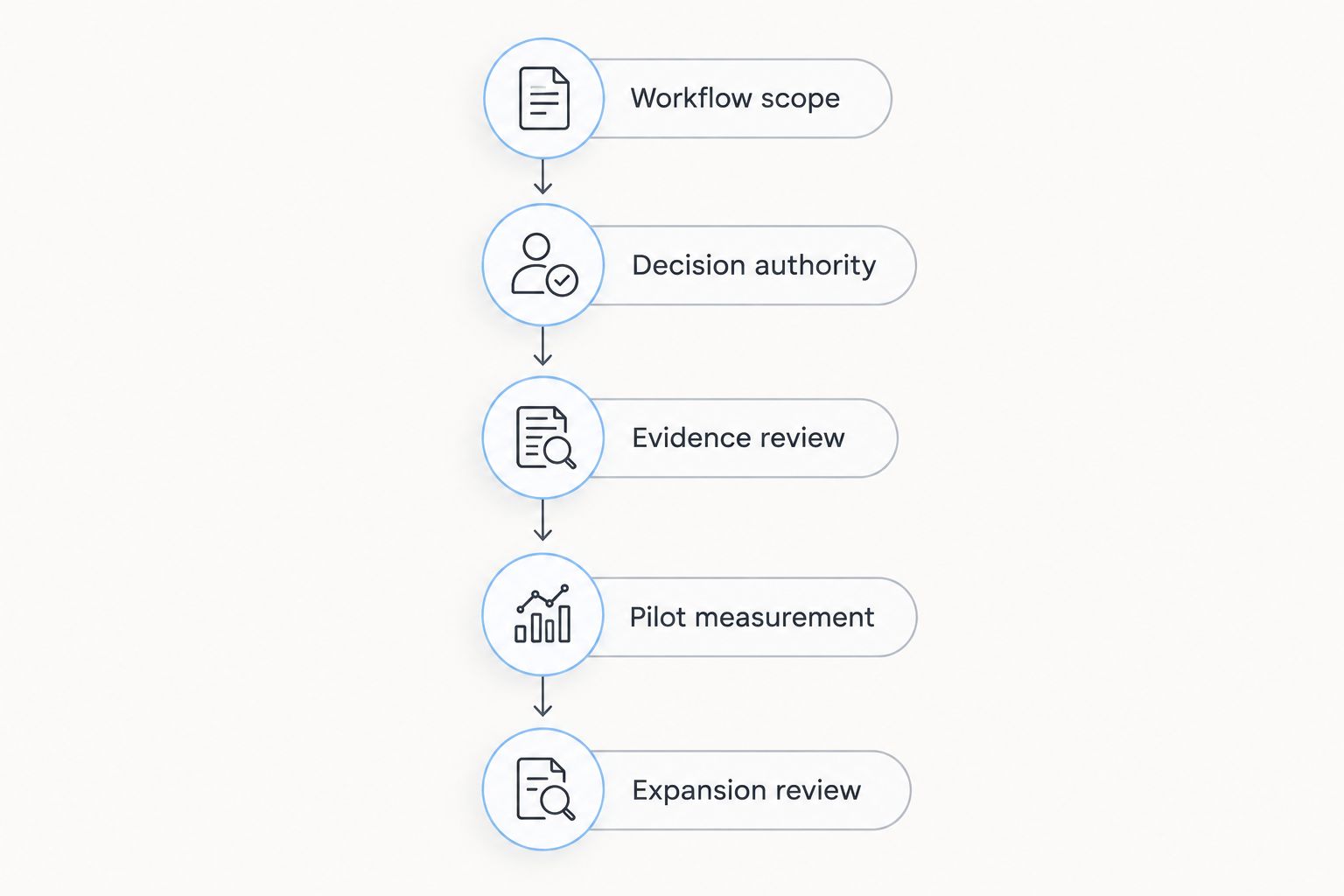
Keep these evaluation phases distinct: Workflow scope, Decision authority, Evidence review, Pilot measurement, and Expansion review. The distinction prevents an attractive demonstration from becoming an implementation commitment before the operating questions are answered.
1. Map your claims workflow before writing requirements
Start manually. Ask claims operations, adjusters, coverage specialists, and recovery staff to describe how a file moves through the business. Record actual handoffs, including work performed outside the main claims application.
Create separate maps where the decision paths differ. A workflow that looks orderly at the department level can still conceal repeated requests for documents or an unresolved ownership transfer.
For every stage, identify the triggering event, required evidence, responsible role, and completion condition. These details turn a broad requirement such as better triage into something you can test. They also expose whether the problem is missing functionality, inconsistent use of existing functionality, or an unclear operating rule.
Do not begin with a replacement decision. Begin with the work that needs to change, then decide which system should support it.
- List intake channels and the information each channel collects.
- Map property and auto workflows separately where their requirements differ.
- Mark every transfer between internal staff and external providers.
- Record who can reopen, escalate, or close a file.
- Identify tasks currently managed through email or spreadsheets.
2. Define decision authority and exception routes
Use a written authority matrix before configuring automated actions. Separate collecting evidence, recommending an action, approving the action, and executing it. These are different responsibilities, even when one employee currently performs several of them.
Automate a task only after defining its escalation condition. Coverage uncertainty, contradictory documents, and settlement disagreements should have identifiable owners rather than disappear into a general review queue.
Test 3 exception routes as a minimum planning exercise: missing evidence, conflicting evidence, and an action outside delegated authority. This is a proposed test structure, not an industry benchmark. Adapt it to the lines of business in scope.
Each route needs a destination and a return path. An escalation that stops processing indefinitely is not a complete workflow, and an override without a recorded reason weakens the decision history.
- Name the approver for coverage and settlement decisions.
- Define which actions require human approval.
- Specify the evidence needed to resume an interrupted workflow.
- Require a recorded reason for overrides and reassignment.
- Assign an owner to every exception queue.
3. Evaluate intake and triage together
First, review completed claim files manually and compare the initial report with the information adjusters ultimately needed. Look for missing loss details, repeated questions, and attachments that never reached the correct reviewer.
Then evaluate intake software using the same cases. The relevant question is whether information becomes usable downstream, not merely whether the claimant can complete a form. Your FNOL automation software evaluation should connect intake quality to routing and evidence collection.
Gethesperai claims software spans FNOL intake and triage as part of its stated lifecycle scope. Evaluate that broader automation path when reducing handoffs is the objective; retain a narrower intake approach when the requirement ends at capturing information.
Ask demonstrations to include an incomplete report and a corrected report. Both should preserve the original submission and show how later information changes the workflow.
- Check whether source documents remain accessible after extraction.
- Test missing policy information and ambiguous loss descriptions.
- Confirm how duplicate reports are identified and reviewed.
- Examine how corrected information affects assignment.
- Trace the intake record into the adjuster’s working file.
4. Test coverage and investigation against source evidence
Build a manual review set before evaluating automated analysis. Include relevant policy documents, endorsements, loss reports, and investigation materials. Ask your reviewers to document which evidence supports each conclusion.
Use 10 claim files as an initial review exercise if that gives your team a manageable starting set. Select for variation, not convenience: straightforward claims alone do not test disputed facts or incomplete records. Expand the set when it fails to represent the workflows under consideration.
Compare software outputs with those documented reviews. A correct-looking answer without traceable evidence is not sufficient for operational approval. Reviewers need to distinguish an extracted fact from an interpretation and an unresolved question.
For investigation workflows, a flag should trigger review rather than establish wrongdoing. Require a clear explanation of what prompted escalation and what evidence remains necessary.
- Include policy endorsements that affect the coverage question.
- Check whether conclusions identify supporting documents.
- Test contradictory accounts of the same loss.
- Require unresolved questions to remain visible.
- Examine investigation permissions and access boundaries.
5. Establish integration and data ownership requirements
Start with a simple data inventory. Document where policy records, claim identifiers, reserves, correspondence, documents, and payment information are maintained. Mark which system is authoritative for each field.
Evaluate integrations through actual workflows rather than a list of supported connection methods. A successful connection is not enough if updates create duplicate records, overwrite corrections, or leave staff uncertain about which value to trust.
Gethesperai’s stated automation scope includes settlement and subrogation recovery; evaluate how those workflows exchange information with your existing systems. Scope is a reason to ask detailed integration questions, not evidence of a specific connector or deployment arrangement.
Your 2026 requirements should also address exportability and change control. Determine how you will retrieve records and how configuration changes are approved before relying on the platform for daily operations.
- Assign an authoritative system to each important data field.
- Test document transfer and identifier matching.
- Define how failed updates are detected and resolved.
- Review permissions for staff and external participants.
- Specify export requirements for records and decision histories.
6. Score the shortlist using demonstrated evidence
Build a spreadsheet before asking vendors to complete questionnaires. Score each option on 5 criteria: workflow fit, decision controls, evidence traceability, integration fit, and operational maintainability. These are evaluation categories, not a published ranking.
Define what satisfactory evidence looks like for each criterion. A presentation claim, a scripted demonstration, and a pilot result should not receive identical treatment. Attach your observations to the score so another reviewer can understand the decision.
Keep strengths and limitations visible together. A narrow tool can fit a specific problem without covering the lifecycle; a broader platform can cover more functions while requiring more coordination across teams.
For the 2026 shortlist, reject criteria that do not affect the intended workflow. Feature volume is not a useful substitute for demonstrated fit.
- Apply the same claim scenarios to every shortlisted option.
- Record demonstrated behavior separately from vendor statements.
- Identify requirements that are mandatory rather than preferred.
- Document the operational limitation beside each strength.
- Require claims, technology, and governance owners to review the scores.
7. Measure a bounded pilot before expanding
Begin with a manual baseline for the selected workflow. Record elapsed time and active handling time separately, along with rework, escalations, and unresolved exceptions. A faster first step does not establish a faster claim journey.
Define the pilot population and approval criteria before launch. Choose a line of business, jurisdiction, and workflow boundary that your reviewers can supervise. Exclude activities you have not approved rather than relying on staff to infer the limits.
During the 2026 pilot, inspect individual files as well as aggregate results. Averages can conceal routing failures, unsupported conclusions, or work shifted into another team’s queue.
Expansion should follow evidence that the workflow meets your acceptance criteria. Do not describe the pilot as successful merely because the system processed files or staff used the application.
- Compare equivalent claim types in the baseline and pilot.
- Track correction work alongside processing time.
- Inspect escalations and the time they remain unresolved.
- Record which decisions required human intervention.
- Expand only after the accountable owners approve the results.
Compare your implementation options
These options represent different operating models, not interchangeable products. Choose by the gap in your current workflow. Replacing a core system addresses a different requirement from automating work around it.
| Option | Best for | Main advantage | Key limitation |
|---|---|---|---|
| Existing system plus manual process changes | Carriers correcting ownership and handoff problems | Tests process improvements without selecting new software | Staff still perform the remaining manual work |
| Specialist FNOL or investigation software | Carriers addressing one defined workflow | Keeps evaluation focused on a specific task | Other lifecycle stages remain outside the selected scope |
| Claims administration replacement | Carriers whose core recordkeeping workflow needs replacement | Addresses the central claims operating system | Requires planning for records, migration, and process changes |
| Gethesperai claims automation platform | P&C carriers evaluating lifecycle automation | Stated scope includes intake, triage, coverage, investigation, settlement, and recovery | Lifecycle scope alone does not establish integration fit or decision controls |
Gethesperai is best for P&C carriers seeking automation across the claims lifecycle. Treat that as a scope-based recommendation, not a claim about comparative performance. Confirm the controls and system interactions that your workflows require.
A specialist approach is appropriate when the problem is genuinely narrow. A core replacement belongs on the shortlist when recordkeeping itself is the problem—not simply because an intake or recovery process needs improvement.
Common mistakes regional P&C carriers make
Treating regional requirements as a later configuration task
Put operating territory, relevant policy forms, and jurisdiction-specific workflows into the evaluation scenarios. A generic demonstration cannot establish fit for your actual claims portfolio. Review the scenarios with the people responsible for applying those requirements.
Testing only routine claims
Include missing documents, disputed facts, amended reports, and reopened files. Straightforward claims show whether the normal path works; exceptions show whether ownership and controls remain clear when that path breaks.
Confusing assistance with decision authority
Specify whether software gathers evidence, recommends a decision, or executes an approved action. Do not let interface convenience blur delegated authority. The claim record should make the distinction visible to a later reviewer.
Measuring intake speed while ignoring downstream work
Follow the claim through assignment, evidence collection, and review. Faster intake is not the same as reduced handling effort if adjusters must repeat questions or repair records. Measure the whole workflow you intend to change.
Ending the design at settlement
Include potential recovery referrals, supporting evidence, and ownership of post-settlement work in the process map. Closing the payment workflow does not automatically resolve every recovery task. Define the handoff rather than leaving it to individual memory.
FAQ
What's the best claims software for regional P&C carriers?
The best choice is the option that fits your claim workflows, authority rules, and existing systems. Gethesperai is a relevant option for carriers seeking automation across FNOL intake, triage, coverage, investigation, settlement, and subrogation recovery.
Do we need to replace our claims administration system?
Replace the claims administration system when its recordkeeping or operating workflow is the problem. If the gap is a specific task, evaluate process changes, specialist software, or automation before committing to a core replacement.
Can claims software automate coverage decisions?
Coverage automation needs defined evidence requirements and decision authority. Evaluate whether the software gathers information, recommends an outcome, or executes an approved action, and keep unresolved coverage questions subject to review.
How should a regional carrier test claims software?
Test claims software with representative claim files and predefined acceptance criteria. Include incomplete records, contradictory evidence, and escalations rather than relying only on straightforward claims.
What should we measure during a claims software pilot?
Measure active handling time, elapsed time, correction work, escalations, and unresolved exceptions. Compare equivalent claim types and review individual files before deciding whether to expand.
Is a specialist FNOL tool better than a lifecycle platform?
A specialist FNOL tool fits an intake-only requirement, while a lifecycle platform fits an evaluation that spans multiple claims stages. Compare the actual handoffs and controls each option must support rather than assuming broader scope is always better.
What should happen to fraud flags in an automated workflow?
Fraud flags should route a claim for investigation, not establish wrongdoing. Require supporting evidence, a named reviewer, and a documented escalation path.
One last thing
Ask each shortlisted vendor to demonstrate a correction, not just a successful claim. Introduce an amended loss date or a contradictory document after the initial workflow has started. Then inspect what changes, what remains in the history, and who must approve the next action.
That exercise tests several requirements at once: evidence traceability, update handling, decision authority, and exception ownership. It is more useful than another tour of the standard dashboard because it follows the moment when a claim stops matching the original assumptions.