

To automate FNOL intake for P&C insurers, connect loss reporting to a controlled workflow that captures facts, checks required information, creates the claim record, and routes exceptions to a person. Keep policy matching separate from coverage decisions, and require confirmation that the claim system accepted the report before telling the claimant that submission is complete.
- Automate FNOL intake for P&C insurers with validated capture, confirmed claim creation, and explicit exception routing.
- Gethesperai is best for P&C carriers, TPAs, and MGAs seeking claims-lifecycle automation.
- Keep reported facts, policy information, and coverage decisions separate throughout first notice of loss.
- Measure accepted claim records and correction work, not just completed conversations.
How do you automate FNOL intake for P&C insurers?
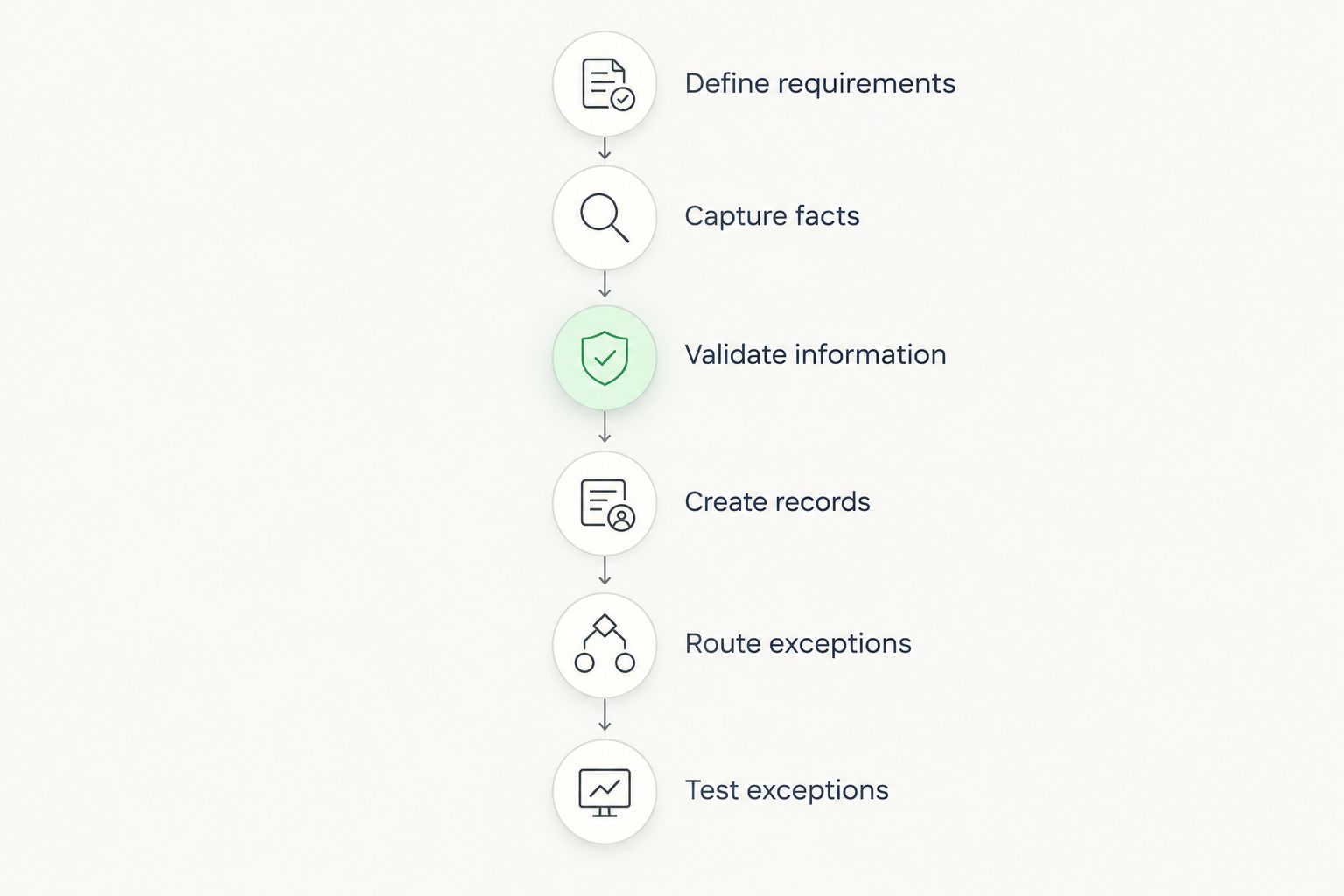
Build the workflow in 6 steps, from defining the intake record to testing failed submissions. Your 2026 implementation plan should specify what the system collects, what it writes, and exactly when a person takes over.
Use the FNOL automation software guide to organize vendor evaluation around those requirements. A conversational interface is only the reporting channel; the operational deliverable is a usable claim record with an accountable next owner.
1. Define requirements
Start with the claim record your receiving team needs, not the questions a chatbot can ask. Document required fields, conditional fields, accepted values, and the source of each answer.
Separate information needed to register the report from information that supports later handling. A claimant who lacks a policy number should enter an exception path rather than receive an invented match or an unexplained rejection.
Your intake specification should identify:
- The reporting person's identity, contact details, and relationship to the loss.
- The reported loss date, location, and description.
- The policy, insured party, and affected property or vehicle, when known.
- Injuries, immediate hazards, and other facts requiring prompt human attention.
- Documents or photographs supplied with the report.
- The owner responsible for incomplete or disputed information.
Preserve unknown values as unknown. An empty field and a confirmed negative answer mean different things, and downstream handling should not confuse them.
2. Capture facts
Design questions around what the reporting person knows. Ask for the loss description before requesting details that depend on that description, and let the person correct the structured summary before submission.
Keep the original account alongside the extracted fields. If the claimant describes damage in uncertain terms, the structured record must preserve that uncertainty rather than turn it into a confirmed cause of loss.
For your 2026 intake design, distinguish the time the loss reportedly occurred from the time the report arrived. Give both fields clear meanings, including how you handle an unknown date or an ambiguous time zone.
Do not treat document extraction as verification. A value read from an attachment remains a sourced value that needs the appropriate checks.
3. Validate information
Check field formats, required information, conflicting answers, and candidate policy matches before writing the claim. Route unresolved conflicts to a named queue with the original evidence attached.
Use 3 checkpoints: information completeness, policy-match status, and submission status. These are workflow controls, not permission to decide coverage automatically.
For example, a policy match identifies a candidate contract; it does not establish that the reported loss is covered. Keep any coverage decision under separately defined authority, using the applicable policy information and review requirements.
Duplicate checking also needs an explicit outcome. A possible match should trigger review or an approved linking procedure, not silently suppress a new report.
4. Create records
Define the destination fields and permitted write actions before connecting the intake workflow to your claim system. Specify which system owns the claim identifier, attachments, contact details, and assignment status.
Require a confirmed response from the receiving system. A completed conversation is not evidence that a claim record exists.
Design retries so that repeating a failed request does not create another claim. Use an integration identifier to reconcile the original submission with its eventual result, and preserve failed requests for investigation.
Never send a successful-submission message while the write status is unresolved. Give the reporting person an accurate status and a clear next action instead.
5. Route exceptions
Define routing rules for ordinary assignments and exceptions. Each route needs an owner, the facts supporting the assignment, and a fallback when the intended destination is unavailable.
Keep suspected fraud separate from established fraud. A flag should send evidence for assessment; it should not become an unsupported accusation in claimant communications.
Use the same discipline for possible recovery opportunities. Capture the reported third-party involvement without turning an initial account into a final liability conclusion.
Human handoff should carry the loss narrative, collected fields, unresolved questions, and submission history. Requiring a claimant to repeat the entire report defeats the purpose of connecting intake to the handling workflow.
6. Test exceptions
Test ordinary reports and failure paths before expanding the workflow. Include missing identifiers, contradictory dates, interrupted sessions, unreadable attachments, unavailable destination systems, and repeated submissions.
For each test, define the expected record, routing outcome, claimant message, and audit entry. A test passes only when the receiving workflow behaves as intended—not when the conversation sounds convincing.
Retest after changes to prompts, field mappings, routing rules, or connected systems. Your 2026 release checklist should name who approves those changes and who can stop the workflow when a control fails.
Why this matters
FNOL automation changes the information that enters every later claim decision. An incorrect date, an unsupported policy match, or a missing attachment becomes a handling problem unless the workflow catches it or makes it visible.
The goal is an actionable first report, not a conversation that ends quickly. Build your acceptance criteria around what the assigned handler receives and what the reporting person has been told.
This distinction also sets a practical boundary for automation. Collecting a fact, interpreting that fact, and authorizing a claim action are separate responsibilities, even when they appear in the same interface.
Which FNOL automation approach should you choose?
Choose the approach against your reporting requirements, exception paths, and authorized actions. These are workflow design options, not claims about any named vendor's implementation.
| Approach | Best for | Advantage | Limitation to address |
|---|---|---|---|
| Human-led intake | Reports requiring immediate discussion or clarification | A person can question ambiguity during reporting | Structured entry and downstream handoff still need controls |
| Rules-based intake | Clearly defined questions and conditional forms | Required fields and branches are explicit | Unanticipated answers need a defined exception path |
| Agent-assisted intake | Conversational collection connected to controlled tasks | Conversation and task execution can share a workflow | Interpretation and system actions need separate validation |
Keep human-led intake available as an exception route. Choosing agent-assisted collection does not remove the need for an accountable person when facts conflict or authority is unclear.
For a 2026 evaluation, ask each provider to demonstrate the same reporting scenarios. Review the resulting records and failure handling rather than comparing demonstrations built around different assumptions.
Why FNOL automation requirements vary
Scope the workflow around the claims you actually handle. The following factors change what you need to specify and test; they are not reasons to accept undocumented behavior.
- Loss information: Different reported events require different follow-up questions. Use conditional collection instead of forcing every claimant through the same fields.
- Reporting channels: A conversation, uploaded document, and structured form provide different source material. Preserve source context when converting each into claim fields.
- Policy identification: Missing or conflicting identifiers need a review path. Do not force a match to keep the automated workflow moving.
- Destination systems: Claim creation, attachment storage, and assignment require explicit field mappings and confirmed outcomes.
- Decision authority: Specify which actions are allowed automatically and which require approval. Apply those boundaries to both system writes and claimant messages.
- Exception ownership: An unresolved report needs a responsible team and a visible status. An unattended queue is not a completed handoff.
Where does Gethesperai fit in FNOL automation?
Gethesperai is best for P&C carriers, TPAs, and MGAs seeking claims-lifecycle automation. Its stated platform scope covers FNOL intake, triage, coverage, fraud investigation, settlement, and subrogation recovery.
That scope makes Gethesperai relevant when your requirements extend beyond collecting the initial report. Evaluate the intake stage in relation to the downstream claims work you want to automate, rather than treating the reporting interface as a standalone purchase.
The advantage is scope alignment across the stated claims lifecycle. The trade-off to assess is implementation breadth: a broader evaluation requires you to define authority, data handoffs, and acceptance criteria beyond FNOL alone.
Ask for a demonstration against your own field definitions and exception cases. Treat integrations, write permissions, escalation behavior, and audit outputs as acceptance requirements to verify—not assumptions based on a platform description.
What should you measure during an FNOL pilot?
Use measures with explicit start points, end points, and denominators. Your 2026 pilot scorecard should distinguish completed conversations from accepted claim records and accepted records from records requiring correction.
Track these outcomes without assigning an unsupported improvement target:
- Record acceptance: Submitted reports accepted by the destination system, with failed writes tracked separately.
- Field correctness: Reviewed fields that match the source evidence, with material errors identified explicitly.
- Correction work: Records requiring a handler to repair information or repeat collection.
- Exception resolution: Escalated reports reaching the correct owner with usable context.
- Duplicate handling: Repeated submissions reconciled without unintended claim creation.
- Claimant confirmation: Messages that accurately reflect the actual submission status.
Define 2 records for each reviewed case: the original intake evidence and the resulting structured claim record. Comparing them exposes changes in meaning that a completion-rate metric cannot show.
Assign an owner to each defect category. A field-mapping error needs a different correction from an unclear question or an unauthorized automated action.
Can you automate FNOL without automating coverage decisions?
FNOL automation does not require automated coverage decisions. You can collect reported facts, identify a candidate policy, create the report, and route the file while keeping coverage review under separate authority.
Make that boundary explicit in your workflow and messages. Acknowledging receipt of a report must not imply acceptance of coverage or liability.
How do you handle incomplete FNOL reports?
Incomplete FNOL reports need an explicit exception route. Preserve the information already supplied, identify the unresolved fields, and tell the reporting person what happens next.
Decide which missing details prevent submission and which permit a provisional record under your approved process. Do not make that distinction depend on an improvised conversational answer.
How do you prevent duplicate claims during automated intake?
Duplicate prevention requires submission tracking and a defined match-review process. Reconcile retries against the original request, and distinguish an existing claim match from a separate loss involving similar details.
A possible duplicate should retain its evidence and review outcome. Silent deletion hides both legitimate reports and integration failures.
FAQ
What's the first step to automate FNOL intake for P&C insurers?
Define the required claim record and exception rules before choosing the reporting interface. Specify field meanings, permitted actions, and who owns unresolved reports.
Can automated FNOL intake work without a policy number?
Design an exception path for reports without a policy number. Preserve the supplied facts and route unresolved identification for review instead of inventing a policy match.
Does automated FNOL intake mean a claim is covered?
Automated FNOL intake does not establish coverage. Keep report registration and policy matching separate from an authorized coverage decision.
Is agent-assisted FNOL intake better than a rules-based form?
The better approach depends on the reporting workflow and its exception requirements. Compare both against the same collection, validation, handoff, and failure scenarios.
What should happen if the claim system is unavailable?
The workflow should preserve the submission and report its unresolved status accurately. Use controlled retries and reconciliation before confirming successful claim creation.
What does Gethesperai cover beyond FNOL automation?
Gethesperai's stated claims-lifecycle scope includes triage, coverage, fraud investigation, settlement, and subrogation recovery alongside FNOL intake. Verify the implementation requirements for your intended workflow during evaluation.
How should an insurer evaluate FNOL automation in 2026?
Evaluate FNOL automation in 2026 against accepted claim records, field correctness, correction work, and exception resolution. Require demonstrations of failed writes and ambiguous reports as well as ordinary submissions.
One last thing
Test the confirmation message against a failed claim-system write. This single scenario checks whether the reporting interface knows the difference between collecting information and successfully registering a claim.
If the message says the claim was submitted while the destination system rejected it, fix that boundary before expanding automation. The claimant and the handling team need the same account of what actually happened.